Everything your service team needs, without leaving Teams
Routing, supervision, recording and reporting in one product, with one login and one price per user.
IVR and smart routing
Multi-level menus, skills, priority, business hours, overflow and callbacks, all edited live.
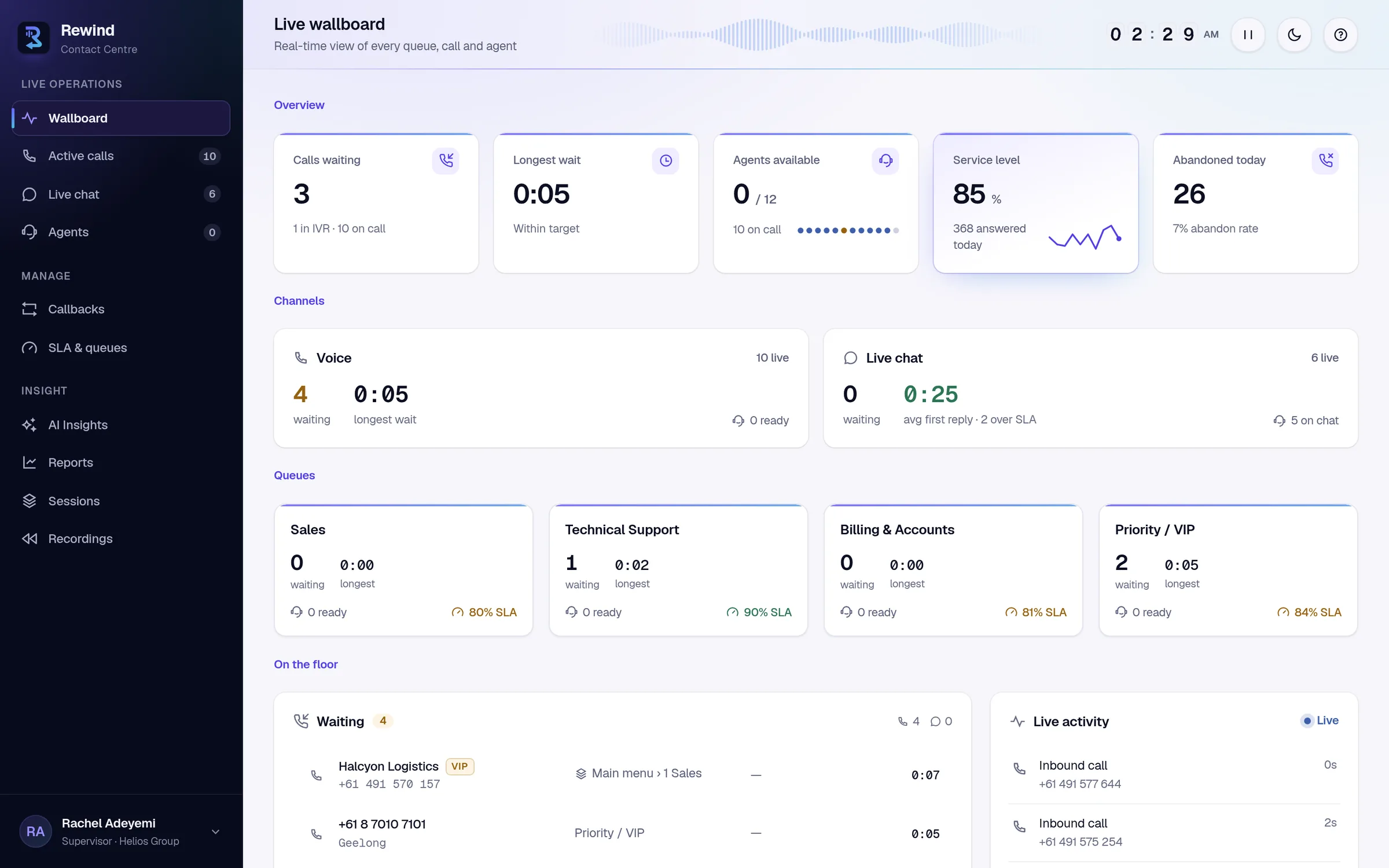
Learn moreLive wallboards and SLA
Calls waiting, longest wait, agent availability, service level and abandons, updating every second.
Learn moreSupervisor tools
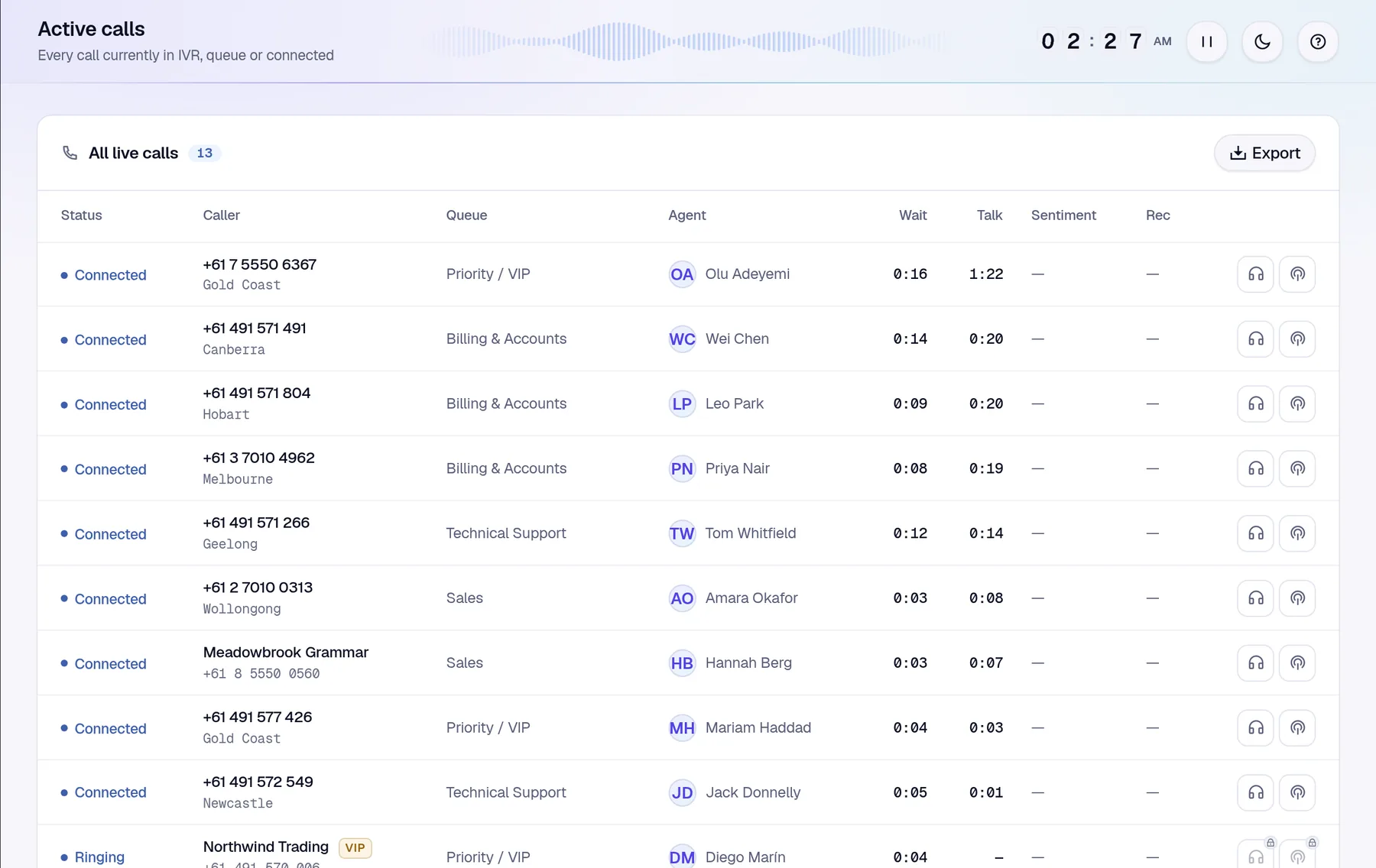
Listen in on a live call or barge in when it matters, straight from the call list or the agent floor.
Learn moreRecording of every call
Queue calls, direct lines, internal calls and meetings, captured to Australian storage.
Learn moreTranscripts and AI insights
Per-speaker transcripts, sentiment and summaries, with findings that flag what needs attention.
Learn moreWeb chat and Teams chat
Website chat and Teams conversations run through the same queues and agents as your calls.
Learn moreRoute every call to the right person, inside Teams
Callers reach the right team the first time. Agents answer in the Teams client they already know, and Rewind handles the queueing, routing and follow-up around the call.
- Multi-level IVR with text-to-speech or your own recorded prompts
- Skills, priority and longest-idle routing with business hours and overflow
- Callbacks so callers don't have to wait on hold
- Native Teams ringing on desktop and web, with no extra app to install
See the whole floor in real time
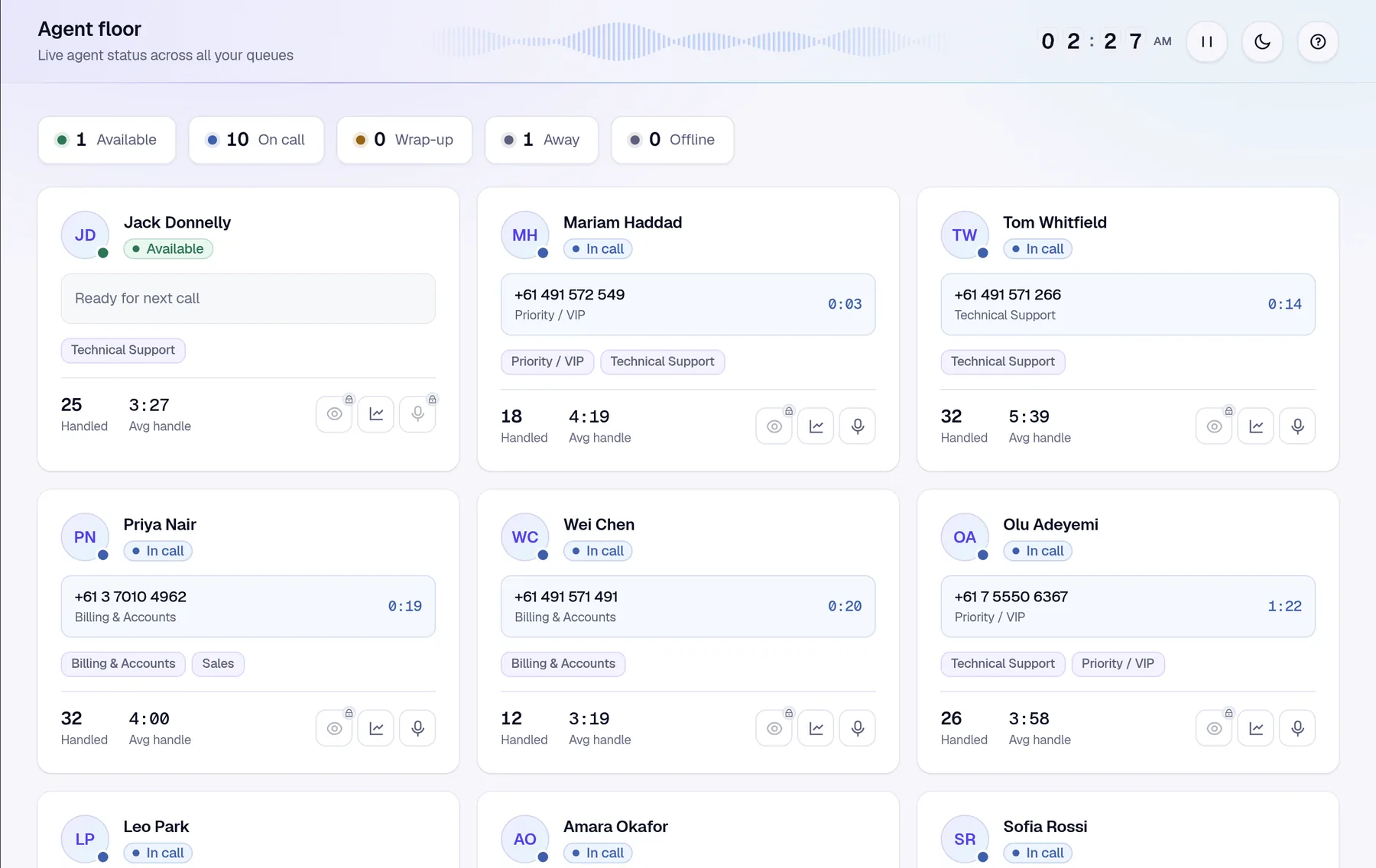
Supervisors see who is waiting, who is free and which queues are slipping before customers feel it, and can step into a call when it counts.
- Live wallboard with service level, waits and abandons per queue
- Agent floor with live states, wrap-up and away reason codes
- Listen and barge on connected calls
- TV mode for a screen on the wall
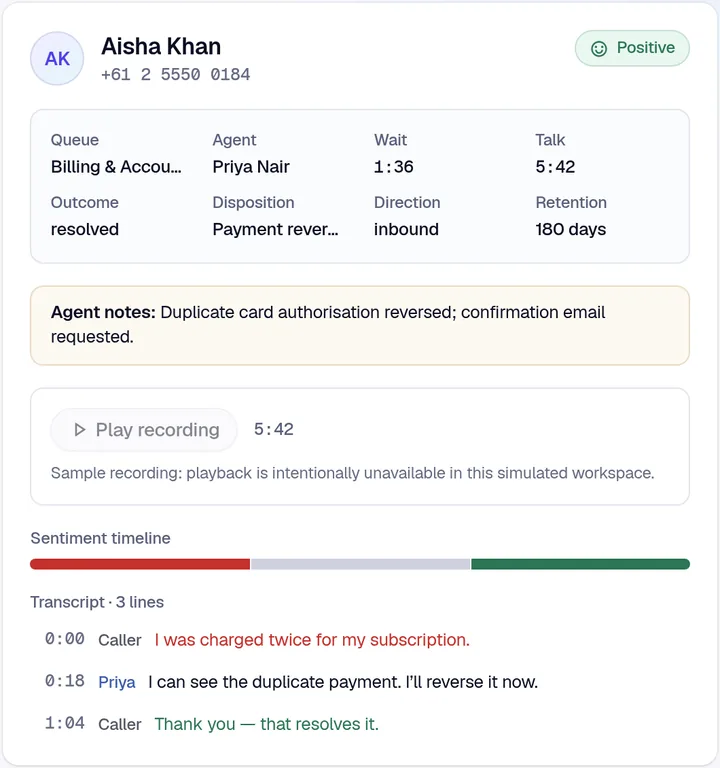
Every call recorded, transcribed and summarised
Recording isn't an add-on. Every call for every Rewind user is captured, transcribed per speaker and kept in Australia under the retention policy you set.
- Queue calls, direct lines, Teams-to-Teams and meetings
- Separate agent and caller channels for accurate, labelled transcripts
- Retention, legal hold and audited playback
- Encrypted storage, separated per organisation
- Caller
I’ve been charged twice for this month’s subscription.
- Agent
I can see both payments. I’ll reverse the duplicate now.
- Caller
Will it go back on the same card?
- Agent
Yes, within three business days, and you’ll get an email.
- Caller
Brilliant, thanks for sorting that out.
Answers from your calls, not just counts
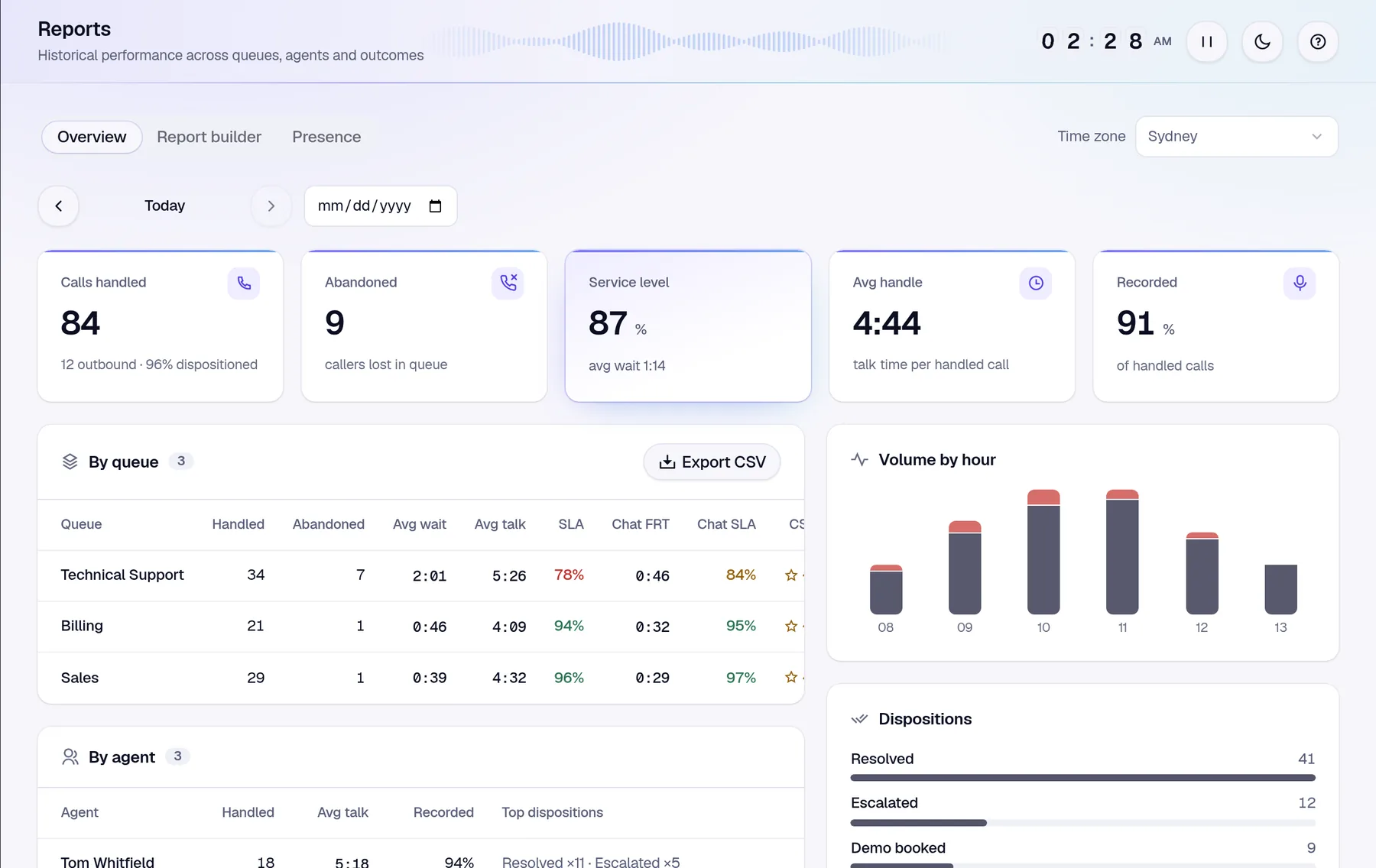
Build the report you need in a few clicks, then let AI insights point you at the calls, agents and queues that need a closer look.
- Report builder by queue, agent, day, hour, disposition or sentiment
- Saved views and CSV export
- AI insights that flag sentiment shifts, slow queues and recording gaps
- Presence reporting for occupancy and time in status
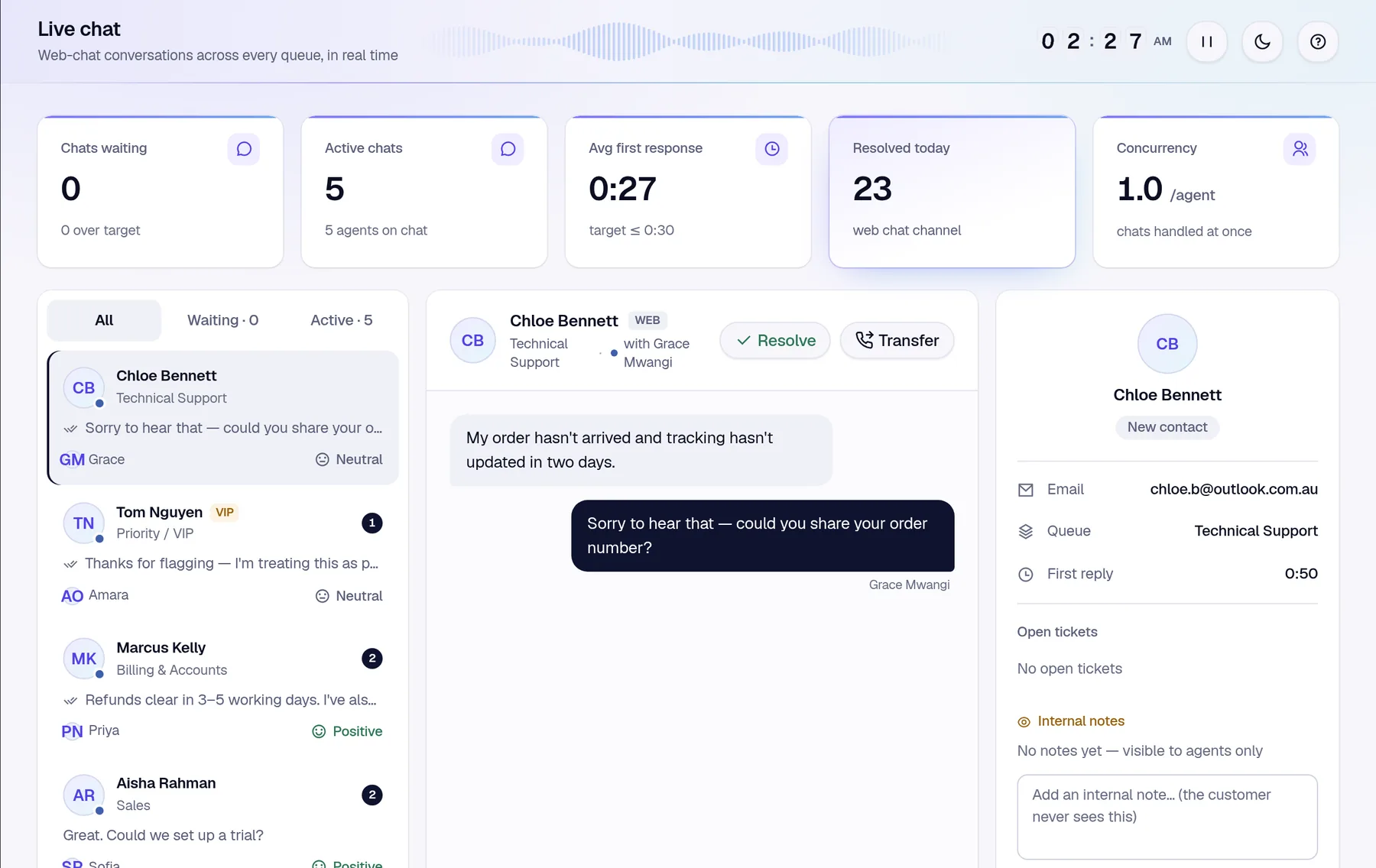
Web chat and Teams chat in the same queues
Customers can start a chat on your website, and staff can reach you through Teams. Both are routed to the same agents as your calls, with the same reporting.
- Embeddable web chat widget for your website
- Teams chat bridge for internal service desks
- Shared queues, skills and wrap-up across voice and chat
- Internal notes that customers never see
Built on Microsoft's own Teams Phone platform
Rewind follows Microsoft's Unify model for Teams contact centres: Teams Phone extensibility with Azure Communication Services. There's no SBC to deploy, no SIP trunk to us and nothing new for agents to install.
Outbound calls and callbacks present your queue's own number, not ours.
Calls keep flowing over your existing Teams Phone plan, so call charges don't change.
The setup wizard writes the Teams PowerShell for you, checks every step and finishes with a real test call.
From sign-in to first call, guided all the way
Rewind sets itself up from inside the app. No professional services engagement, no on-site hardware.
Connect Microsoft 365
A Microsoft 365 admin signs in and grants consent. Your organisation gets its own isolated Rewind workspace.
Link your number
Run the generated Teams PowerShell to link a resource account and number. Rewind verifies each step.
Set up your queues
Create queues and an IVR, choose recording and retention, and invite your agents and supervisors.
Make a test call
Call your number and watch it arrive. The wizard only shows complete once a real call has come through.
Your customers' conversations, handled with care
Call recordings and transcripts are some of the most sensitive data a business holds. Rewind is designed around that from the ground up.
Hosted in Australia
Customer data, recordings and transcripts are stored and processed in Azure Australia East.
Isolated per organisation
Each organisation gets its own workspace, configuration and data. Every request is scoped to the signed-in tenant.
Microsoft Entra sign-in
No separate passwords. Access comes only from seats and roles your admins assign.
Encrypted, with managed secrets
Data is encrypted at rest in Azure. Secrets live in Azure Key Vault, and the database accepts Entra identities only.
Audited access
Recording playback, sign-ins and configuration changes are logged, with retention and legal hold per queue.
Published policies
Our privacy policy follows the Australian Privacy Principles, and every sub-processor is listed publicly.
One price per user. Everything included.
The full contact centre plus recording, transcription and AI summaries of every call, priced in Australian dollars. Your call charges stay with your existing carrier.
- Minutes included1,500 per user, pooled
- Beyond the poolA$0.03 + GST per minute
- Free trial7 days, no credit card
Rewind User
For anyone who takes calls through Rewind or is recorded.
including GST
A$68.18 + GST, billed monthly in AUD
Take the guided tour- IVR, queues, skills routing and callbacks
- Every call recorded, on queues and direct lines
- Transcripts, AI summaries and reporting
- Live wallboards, SLA and supervisor tools
- Australian hosting and local support
Questions from Teams Phone teams
Something else? Email hello@rewindcx.au or read the documentation.
Do we need to port our phone numbers?
No. Rewind runs on the Teams Phone numbers you already have, whether they come from Microsoft Calling Plans, Operator Connect or Direct Routing. Your call charges stay with your existing carrier.
Do agents need a new softphone or app?
No. Calls ring natively in the Microsoft Teams desktop or web client agents already use. Supervisors and admins use the Rewind web app for wallboards, recordings, reports and settings.
Where is our data stored?
Customer data, including recordings and transcripts, is stored in Microsoft Azure's Australia East region, encrypted and separated per organisation, with retention and legal-hold controls. Our sub-processors are listed publicly.
What gets recorded?
Every call for every Rewind user: queue calls, direct lines, internal Teams-to-Teams calls, PSTN and meetings. Each one is transcribed and summarised, and it's included in the per-user price.
What does Rewind cost?
A$75 per user per month including GST (A$68.18 + GST), with everything included. Each user adds 1,500 minutes to a pool shared across your organisation; beyond it, minutes are A$0.03 + GST each. There's a 7-day free trial with no credit card.
How does Rewind connect to Microsoft Teams?
Rewind is built on Teams Phone extensibility, Microsoft's model for contact centres that run inside Teams, using Azure Communication Services. A Teams admin grants consent and links a resource account; the in-app setup wizard generates the PowerShell and checks each step for you.
See Rewind for yourself
Take the guided tour on simulated contact-centre data, no Teams tenant needed. Or book a chat about your numbers, queues and recording needs.