Keep calls in Teams. Keep recordings in Australia.
Recording shouldn't change how people answer the phone. Rewind captures the call in the platform and gives the right people what they need afterwards.
Queue calls and direct lines
Calls through Rewind queues, plus DIDs, Teams-to-Teams, PSTN and meetings with Teams compliance recording.
Agent and caller on separate channels
Each side is recorded on its own channel, so transcripts label every line as agent or caller.
Transcripts and AI summaries
Every recording is transcribed, summarised and scored for sentiment, so you can find the call that matters.
Retention and legal hold
Set retention per queue. Audio is deleted when it ends, unless the interaction is on legal hold.
Recording access log
See who played, downloaded or read each recording, and every legal hold placed or lifted.
Notice before recording
A recording notice can play before recording starts, and policies control who may pause or stop it.
Search, play and review in seconds
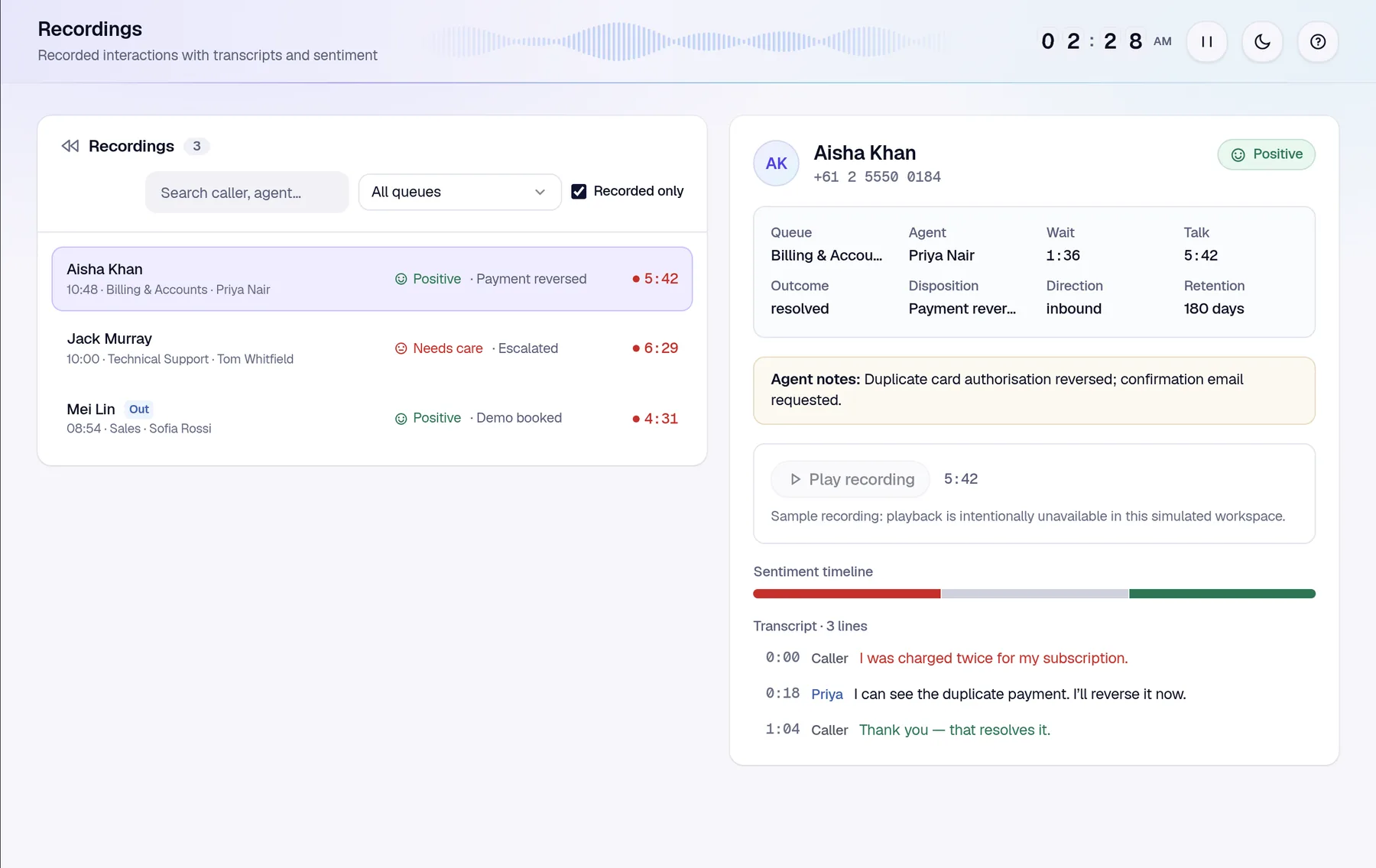
Search by caller, agent, date or queue. Open a call to see its outcome, notes, sentiment through the call and the transcript, then play it back.
- Search and filter by caller, agent, queue and sentiment
- Sentiment timeline across the call
- Agent notes and disposition alongside the audio
- Sessions view of every interaction, recorded or not
Let AI point you at the calls worth reviewing
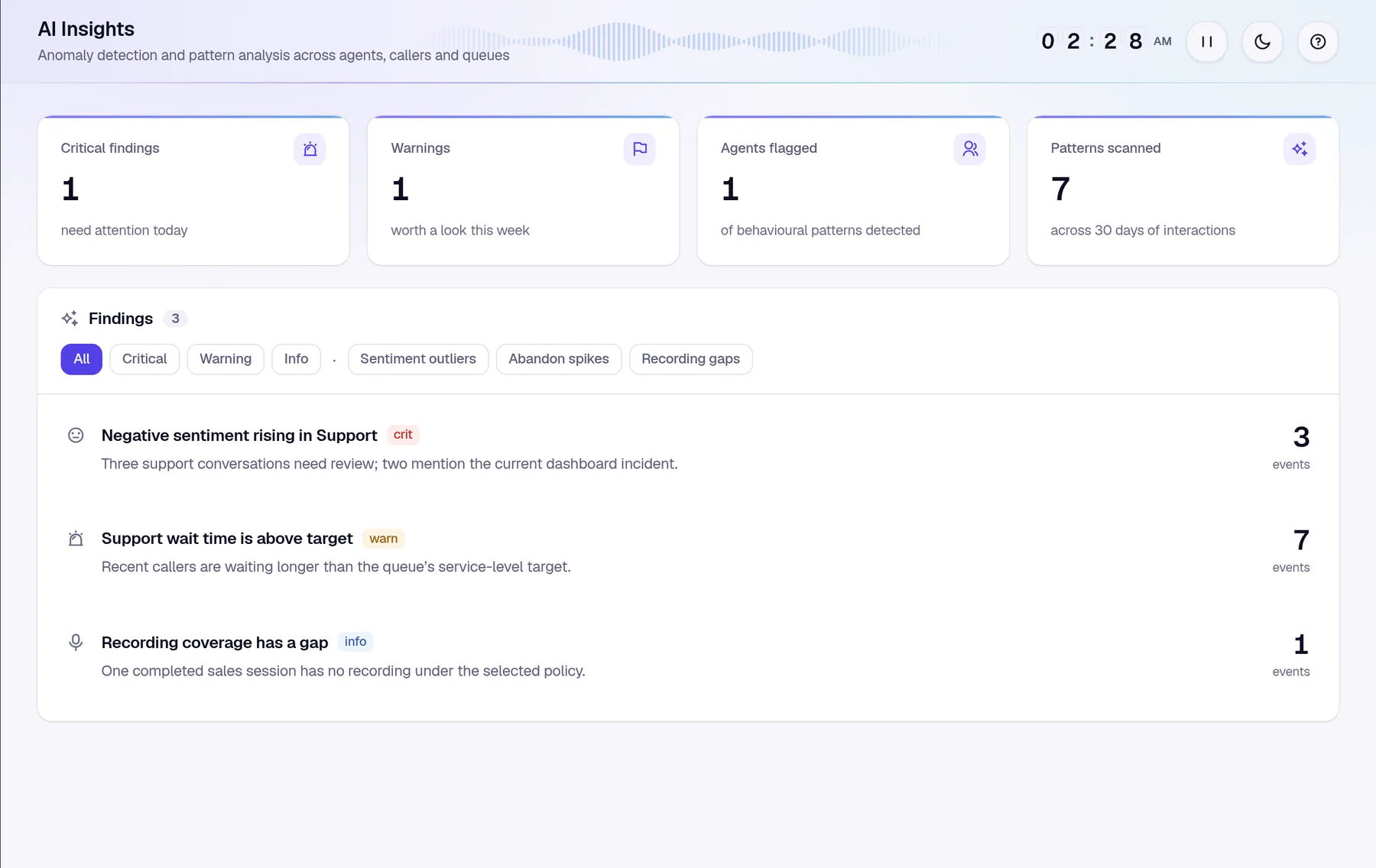
AI insights look across recent interactions and flag what needs attention: a dip in sentiment, a queue running slow, or a call that should have been recorded and wasn't.
- Recording gaps on queues that should always record
- Negative sentiment trends by queue
- Agents flagged for coaching
- Evidence linked to each finding
Australian storage, isolated per organisation
Recordings and transcripts are stored and processed in Azure Australia East. Each organisation's data is kept separate, and access always follows the signed-in user's own tenant and role.
Recordings live in Azure Blob Storage, encrypted at rest, and are streamed to authorised users over secure links.
Azure AI Speech and Language run in Australia East. Customer data isn't used to train AI models.
Every provider that touches customer data is listed on our sub-processors page.
Does Rewind store Microsoft Teams recordings in Australia?
Yes. Recordings and transcripts are stored in Microsoft Azure's Australia East region, encrypted and separated per organisation.
Do agents need a second softphone for recording?
No. Calls ring in the Teams client agents already use, and recording happens in the platform, not on the agent's device.
What Teams interactions can be recorded?
Queue calls through Rewind, plus direct lines (DIDs), internal Teams-to-Teams calls, PSTN calls and meetings for users covered by Teams compliance recording.
How long are recordings kept?
You set retention per queue. Recording audio is deleted automatically when the period ends, unless an authorised person has placed the interaction on legal hold.
Can callers be told they're being recorded?
Yes. A recording notice can play before recording starts, and the queue's policy decides whether agents may pause or stop a recording, for example while card details are read out.
Hear it for yourself
Take the guided tour on simulated data, or book a chat about recording coverage, retention and Australian storage.