Run a real contact centre on Teams Phone
Everything between "the phone rang" and "the customer was helped", managed in one place and answered in Teams.
IVR and call flows
Multi-level menus with text-to-speech or your own recorded prompts, greetings and hold audio, changed live.
Skills-based routing
Route by skills, priority and longest-idle, with business hours, holidays, overflow and a maximum wait per queue.
Callbacks
Offer callers a callback instead of waiting, and work the callback queue from the same screen as live calls.
Outbound from your queue numbers
Agents dial out and return callbacks presenting the queue's own number, not their personal line.
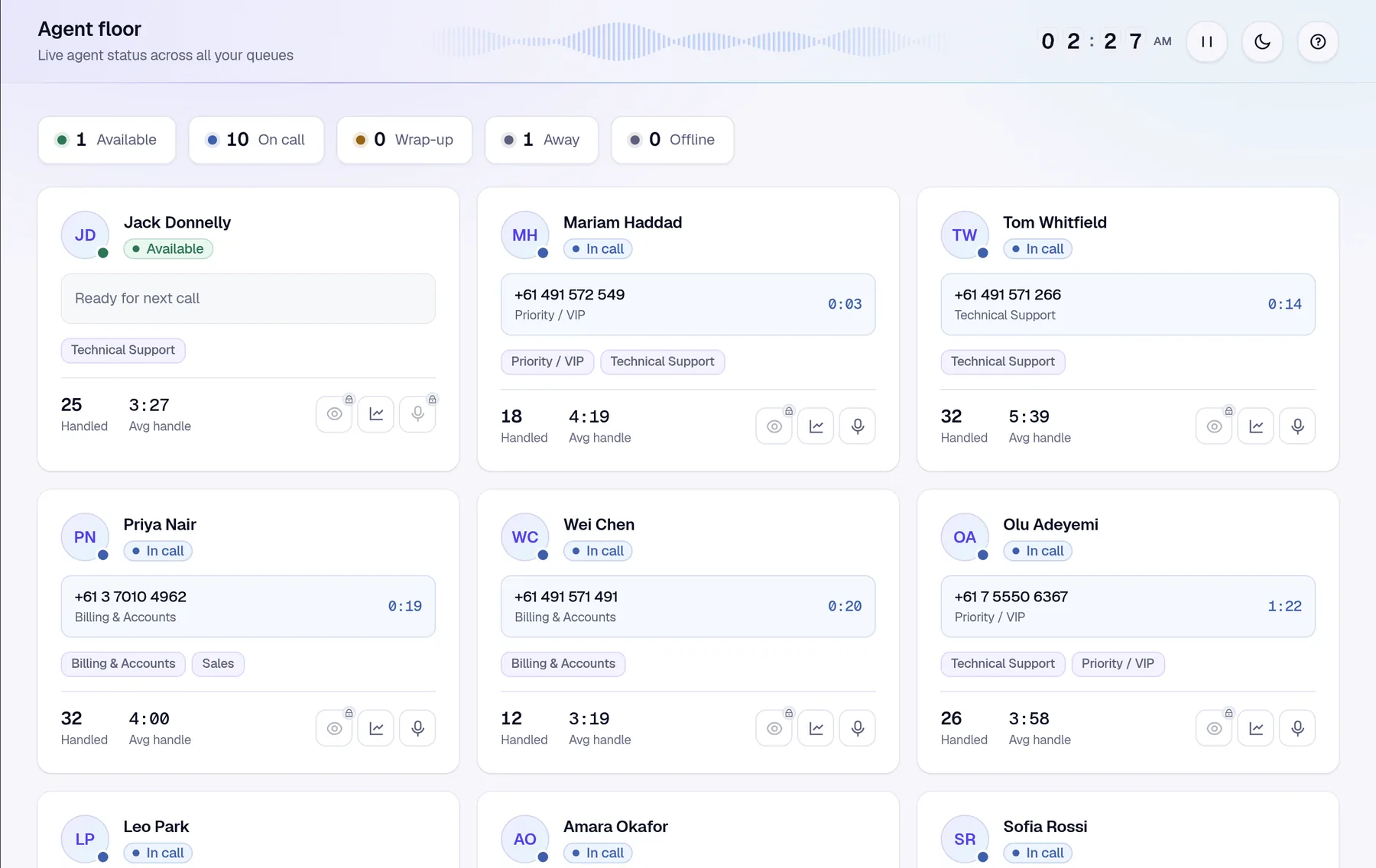
Live wallboard and TV mode
Calls waiting, longest wait, availability, service level and abandons, on screen and on the wall.
Listen and barge
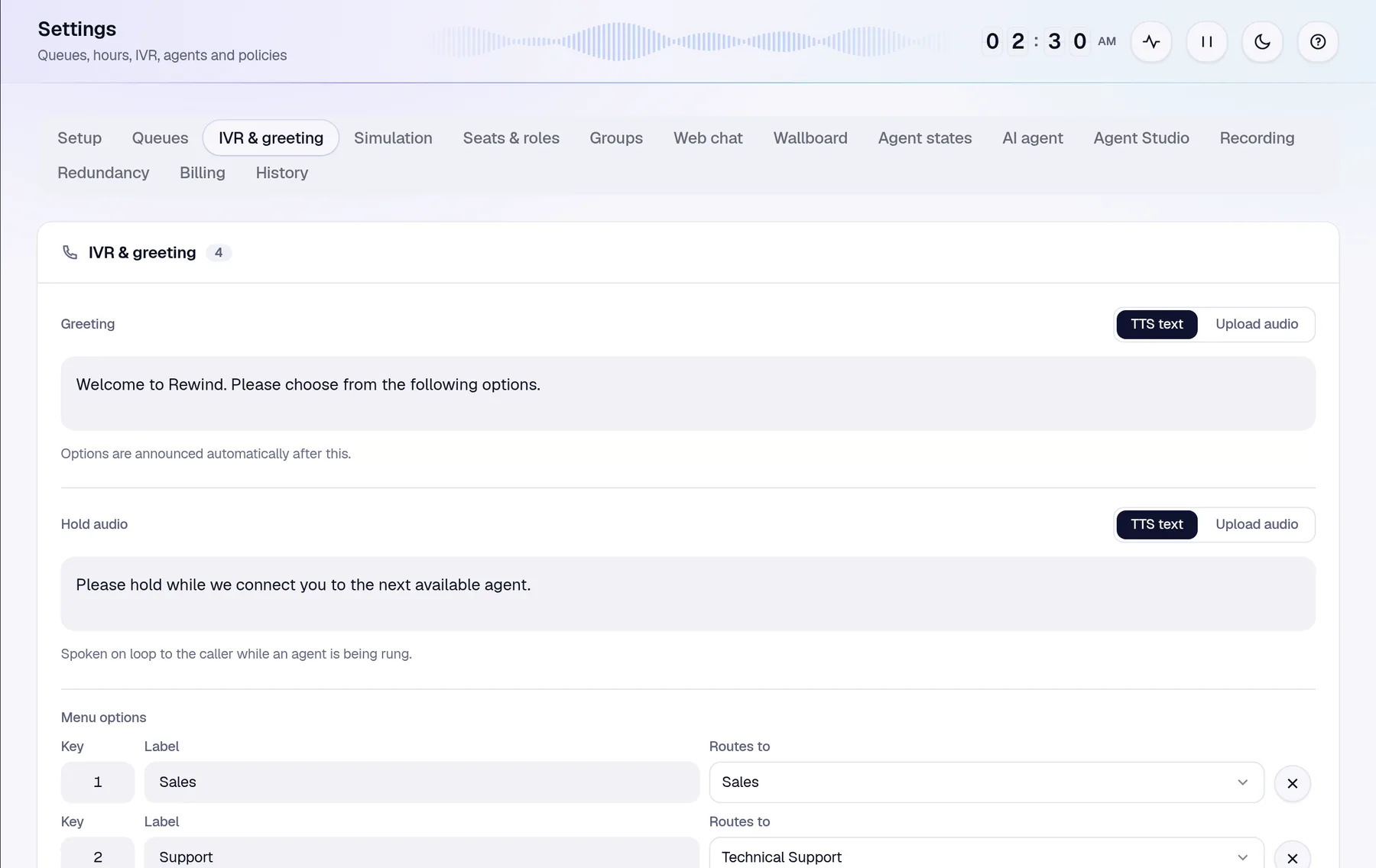
Supervisors can listen silently to a connected call or join it, from the call list or the agent floor.
Callers reach the right team the first time
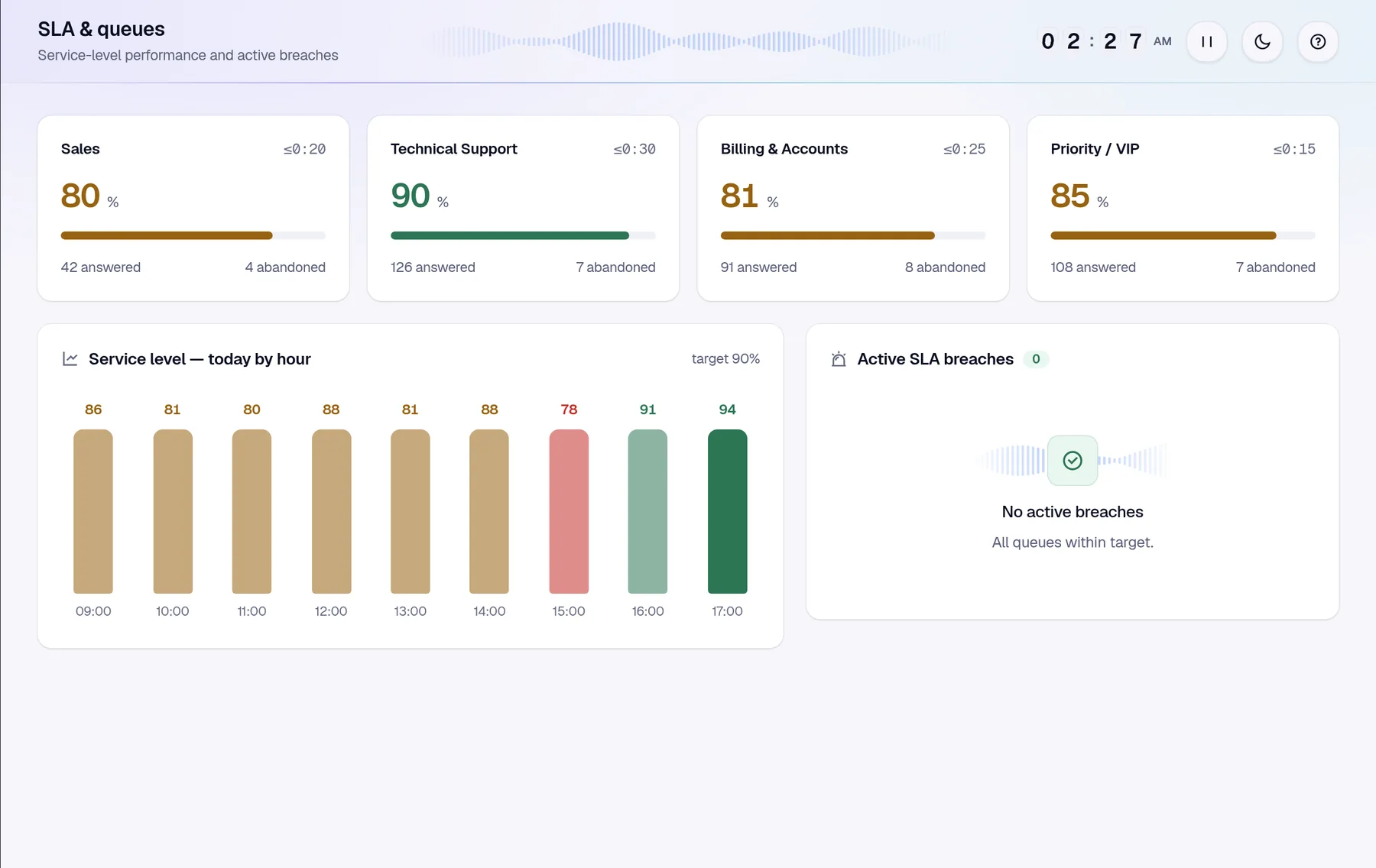
Build your greeting, menu options and hold audio in the browser. Changes apply straight away, with no restarts and no tickets to raise.
- Text-to-speech or uploaded audio for every prompt
- Menu options that route to any queue
- Business hours and overflow per queue
- Maximum wait, then offer a callback or overflow
Agents answer in Teams, the way they already do
Rewind rings agents through Microsoft Teams, so there's nothing new to install and nothing to learn on the phone itself.
- Native Teams ringing on desktop and web
- Wrap-up and dispositions after every call
- Away reason codes such as break, lunch and training
- Blind transfer to a person or back into a queue
Know when a queue is slipping, before customers do
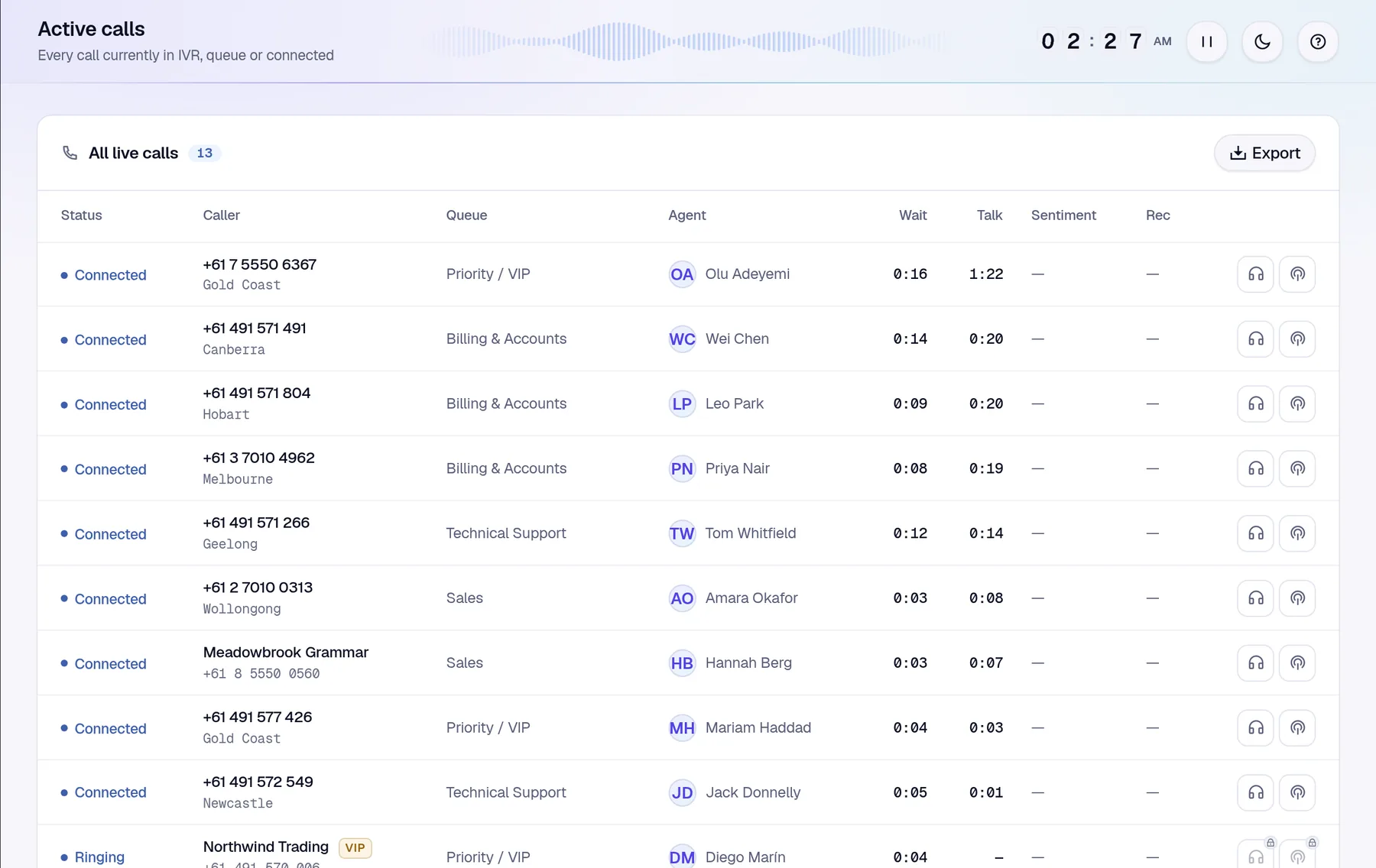
Every queue has its own service-level target. Rewind tracks it through the day and calls out breaches as they happen.
- Per-queue SLA targets for calls and chats
- Service level by hour across the day
- Active breach list for supervisors
- Callbacks tracked from request to completion
Queues, skills and policies in one place
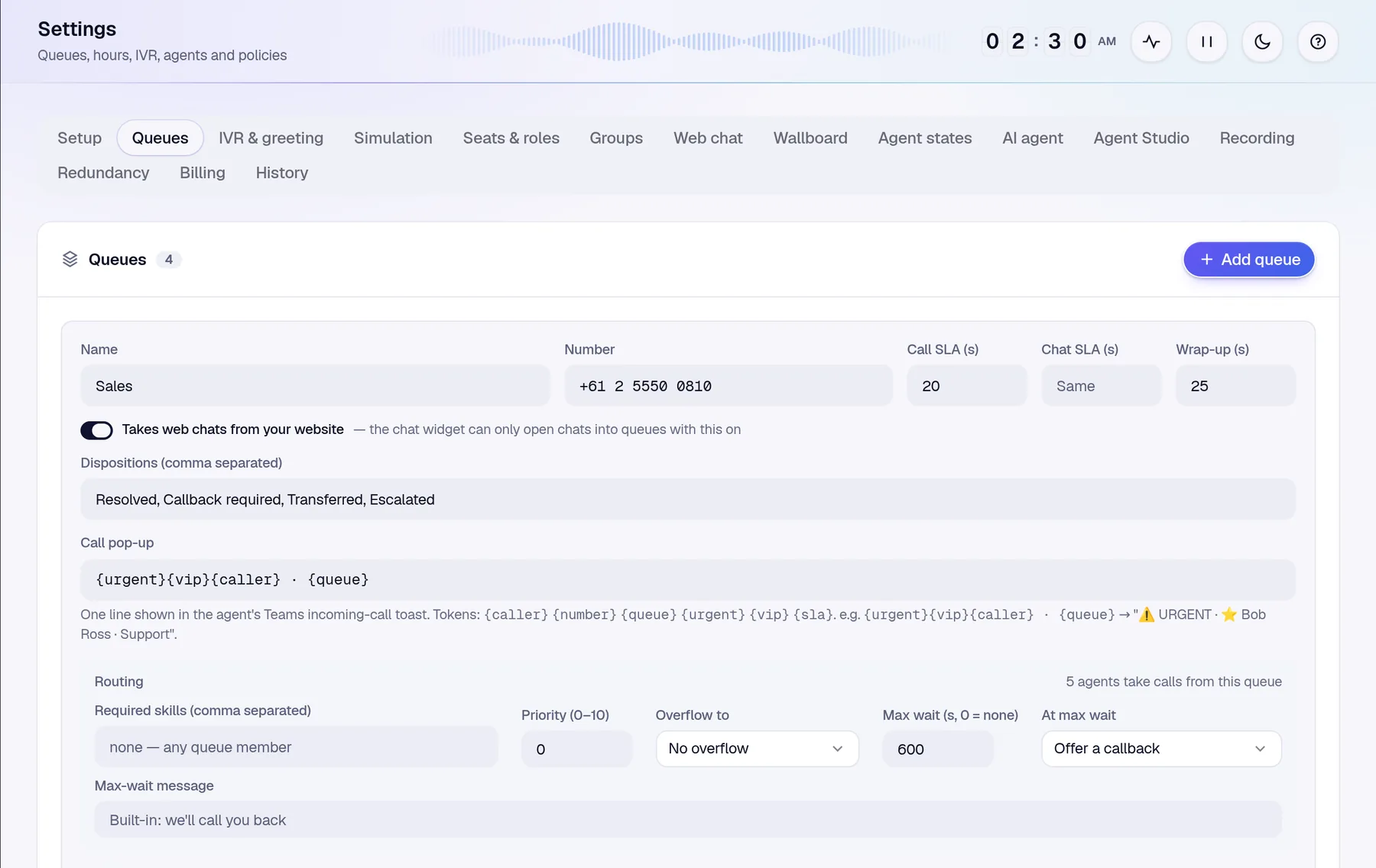
Admins set up queues, routing, recording and retention from Settings. Every save is checked as a whole, so a half-finished change can't break call flow.
- Queues and numbers with SLA and wrap-up times
- Skills and priority per queue
- Recording policy and retention per queue
- Seats and roles from your Microsoft directory
Does Rewind replace the Microsoft Teams client?
No. Calls ring natively in the Teams desktop or web client agents already use. Supervisors and admins use the Rewind web app alongside it.
Can Rewind use our existing Teams Phone numbers?
Yes. Rewind works with Teams Phone numbers on Calling Plans, Operator Connect or Direct Routing, without number porting, an SBC or a SIP trunk to Rewind.
What contact centre features does Rewind add?
IVR, skills-based routing, queues, overflow, callbacks, outbound calling from your queue numbers, live wallboards, SLA reporting and supervisor tools such as listen and barge.
Do agents need a Teams Phone licence?
Yes. Each agent needs Microsoft Teams Phone with Enterprise Voice, which most Teams Phone organisations already have. Your resource accounts and numbers stay in your own Microsoft 365 tenant.
Try a contact centre on your Teams numbers
Take the guided tour on simulated data, or book a chat about your queues, routing and recording.